


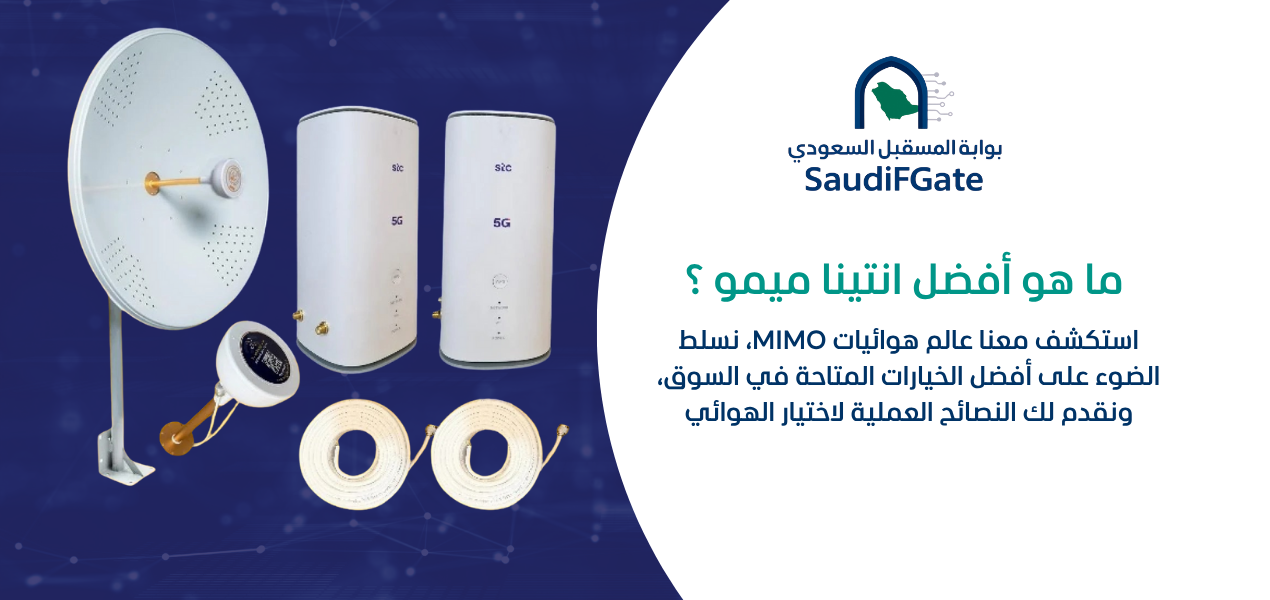

You can protect your business from internet outages by installing a business internet failover system that automatically switches between a primary internet connection and a backup connection when the main service fails. A practical configuration in Saudi Arabia uses fiber-optic internet as the primary connection and a compatible 5G router as backup, connected through a dual-WAN router or firewall with properly configured link monitoring and automatic failover.
However, simply purchasing two routers does not guarantee uninterrupted internet. The backup connection must be operational, the failover mechanism must be correctly configured, the network equipment must have reliable electrical power, and the system must be tested with the actual applications your business uses.
For offices, warehouses, retail stores, clinics, logistics companies, and industrial facilities in Saudi Arabia, internet interruptions can affect payment terminals, cloud applications, customer service systems, inventory platforms, remote access, and business communications.
The most reliable approach is to treat internet continuity as a complete network design problem rather than assuming that a faster router alone can eliminate downtime.

What Is the Quickest Way to Protect a Business From Internet Outages?
Quick answer: Connect two suitable internet services to a dual-WAN router or firewall, enable automatic failover, configure active internet health monitoring, and test the system by safely disconnecting the primary service.
Do I need two separate internet providers?
Using different providers or infrastructure paths can reduce common failure risks, but the actual independence of the services must be assessed.
Two mobile SIM cards may not provide meaningful redundancy if both rely on the same cellular site or shared infrastructure.
Can a 5G router work as backup internet?
Yes. A compatible 5G router can provide backup connectivity when cellular coverage, capacity, data allowances, and network stability are suitable for your business applications.
Do I need to replace my existing office network?
Not necessarily. You may only need to add a backup internet service and a suitable failover-capable gateway, depending on your current equipment and network design.
Can automatic failover eliminate downtime completely?
No. Failover can reduce downtime, but some applications may briefly disconnect, and shared failures involving power, equipment, or infrastructure can still interrupt service.
How Do I Protect My Business Network From Outages?
Protect your business network by identifying critical applications, providing an independent backup connection where possible, configuring automatic failover, and monitoring network performance continuously.
Which business systems should receive the highest priority?
Prioritize systems whose interruption directly affects operations, such as payment processing, inventory management, customer service platforms, essential cloud applications, and critical communications.
How do I connect primary and backup internet services?
Connect the main internet modem or gateway to the first WAN interface of a compatible router or firewall, and connect the backup modem to the second WAN interface.
Then configure routing priorities, health checks, firewall policies, and the conditions that trigger failover.
How do I make internet failover automatic?
Enable the device's supported failover functionality and configure reliable link-health checks that test actual connectivity rather than simply detecting whether an Ethernet cable is connected.
What happens when the primary internet connection returns?
The gateway may automatically switch traffic back to the primary connection, depending on its failback settings, health thresholds, and routing policies.
Configure recovery conditions carefully to avoid repeated switching when the primary connection is unstable.
How can I prevent a single point of failure?
Identify components shared by both connections, including the central router, firewall, network switches, electrical supply, and critical cabling.
Consider appropriate redundancy where business continuity requirements justify the additional complexity and cost.
What Is Business Internet Failover?
Business internet failover is a network continuity mechanism that redirects internet traffic to an alternative connection when the preferred connection becomes unavailable according to defined monitoring criteria.
What is the difference between failover and load balancing?
Failover prioritizes one connection and uses another when required. Load balancing distributes connections or traffic across multiple available links according to a routing policy.
Does dual WAN double my internet speed?
Not automatically. Two WAN connections do not necessarily combine into a single faster connection for an individual download or application session.
What is SD-WAN and when does a company need it?
Software-defined wide area networking can provide centralized policy control and application-aware path selection, depending on the product and configuration.
It may be useful for organizations operating multiple branches or applications with demanding connectivity requirements.
Is a dual-WAN router enough for a small business?
It can be sufficient when the business requires basic automatic internet switching and the chosen device supports the necessary routing, monitoring, security, and performance features.
| Solution | How It Works | Suitable Applications | Important Limitation |
|---|---|---|---|
| Dual-WAN Failover | Switches to a backup link when the primary fails | Offices, retail stores, and warehouses | Requires correctly configured link monitoring |
| Load Balancing | Distributes traffic according to policies | Businesses with substantial network demand | Does not automatically aggregate single-session speed |
| SD-WAN | Selects paths using policy and performance information | Multi-branch and application-sensitive organizations | Features vary by platform and licensing |
| 5G Backup Internet | Provides an alternative cellular connection | Locations with adequate 5G or 4G coverage | Performance depends on radio conditions and congestion |
How Do I Make My Internet Strong?
Improve internet performance by identifying whether the problem originates from the internet provider, the cellular signal, the router, the internal Wi-Fi network, or excessive bandwidth usage.
How do I know whether the problem is Wi-Fi or the internet connection?
Compare performance over a wired Ethernet connection with Wi-Fi performance under similar conditions.
If Ethernet performs well but Wi-Fi is unreliable, focus on wireless coverage, interference, channel planning, and access point placement.
If both are consistently poor, investigate the internet connection, router performance, and network demand.
How do I improve internet performance in a large office?
Use appropriately positioned business-grade wireless access points, structured cabling, suitable network switches, and capacity planning based on the number of users and applications.
How do I make mobile internet stronger in a warehouse?
Measure cellular signal quality at different locations and investigate whether metal structures, distance from the serving cell, or building materials affect reception.
Where supported by the router and justified by testing, an appropriately selected external antenna may improve reception.
Does buying an expensive 5G router guarantee faster internet?
No. Router performance depends on cellular frequency compatibility, supported radio technologies, signal quality, network congestion, subscription conditions, and hardware capabilities.
Will an external antenna fix all internet problems?
No. An antenna may help with radio reception, but it cannot repair a failed provider network, remove mobile network congestion, or correct poor internal Wi-Fi design.
How Do I Install an Antenna?
Install an external cellular antenna by confirming router compatibility, selecting an antenna designed for the relevant frequencies and MIMO configuration, identifying a safe mounting location, using suitable low-loss cables, and measuring connection quality before and after installation.
Where should I install an external 5G antenna?
Choose a structurally suitable and safe location that provides reliable signal reception, while considering nearby obstacles, cable distance, weather exposure, and access for maintenance.
The highest available mounting point is not always the best-performing location.
How do I connect an antenna to a 5G router?
Confirm that the router has supported external antenna ports and identify the correct connectors, frequency bands, and supported antenna configuration.
Connect the equipment according to the manufacturer's documentation without forcing incompatible connectors or modifying the device.
Do I need a MIMO antenna for business internet?
A suitable MIMO antenna may help when the router supports the corresponding external antenna arrangement and the installation improves radio reception.
Some antenna enclosures contain multiple antenna elements, so the number of physical enclosures does not necessarily equal the number of internal antenna elements.
How do I know whether antenna installation improved reception?
Compare RSRP, RSRQ, SINR, throughput, latency, and connection stability before and after installation under reasonably comparable conditions.
Do not rely on signal bars alone because they provide limited diagnostic information.
Can I install an outdoor antenna myself?
Simple device connections may be possible when clearly supported by the manufacturer's instructions.
However, rooftop mounting, elevated work, structural anchoring, grounding, and lightning protection should be handled by qualified personnel following applicable safety requirements.
Can a long antenna cable reduce performance?
Yes. Cable attenuation increases with frequency and length, and unsuitable cables or connectors can reduce the benefit of an external antenna.
Use cable specifications appropriate for the frequency range and installation design.

How Do I Choose the Best 5G Backup Router for My Business?
Choose a 5G backup router that is compatible with local cellular networks, provides reliable Ethernet connectivity, supports the required operating conditions, and works correctly with your dual-WAN gateway.
Can any 5G router be used for automatic failover?
Not necessarily. The router must provide a suitable internet connection to the failover gateway, and the overall configuration must support correct routing and connection monitoring.
Does my 5G router need built-in dual WAN?
No. If a separate dual-WAN router or firewall manages failover, the 5G device can function as the backup internet modem or gateway.
Should I choose a Huawei or ZTE router?
Compare specific models based on supported frequency bands, Ethernet performance, external antenna support, management features, and compatibility with your existing network.
Do not assume that every model supports bridge mode, IP passthrough, or advanced routing features.
Should I prioritize signal strength or router specifications?
Both matter. Advanced hardware cannot deliver stable connectivity when the underlying signal or cellular service is inadequate.
Where can I explore routers and connectivity equipment in Saudi Arabia?
Visit the official Future Networks store to explore connectivity equipment and discuss the requirements of your office, business facility, or warehouse.
 Call Now
 WhatsApp

How Much Does Backup Internet Cost?
Backup internet costs depend on the equipment, installation complexity, cellular or fixed-line subscription, ongoing maintenance, and required reliability.
How much does a basic backup internet setup cost in Saudi Arabia?
For financial planning only, a hypothetical small-office equipment and basic installation budget might range from approximately SAR 1,000 to SAR 3,500.
This is an illustrative planning scenario, not a verified Saudi market average or a confirmed quotation from Future Networks.
How much does a monthly backup internet subscription cost?
The actual monthly fee depends on the provider, business package, data allowance, speed, service conditions, and current commercial offers.
Check the provider's current published plans and contract terms before selecting a service.
Do I need an external antenna in my budget?
Only if site measurements show that an external antenna is appropriate and likely to provide a meaningful improvement.
Is backup internet worth the expense for a small business?
It may be worthwhile when the expected cost of internet downtime exceeds the relevant cost of providing and maintaining redundancy.
How do I calculate the cost of internet downtime?
Estimate lost contribution from interrupted sales, lost employee productivity, service recovery expenses, and other measurable operational impacts.
Avoid counting the same financial loss in multiple categories.
| Component | Hypothetical Budget (SAR) | Considerations |
|---|---|---|
| 4G/5G backup router | 400–1,200 | Varies by model and supported features |
| Dual-WAN router or gateway | 300–1,000 | May already be available in the existing network |
| External antenna and related cabling | 200–800 | Optional depending on reception and compatibility |
| Basic installation and configuration | 200–500 | Complex commercial installations may cost more |
| Ongoing internet subscription | Provider-dependent | Recurring expenditure |
Important: These figures are hypothetical examples for explaining budget structure. They are not verified supplier prices, advertised product offers, or official Future Networks quotations. Actual prices, taxes, equipment requirements, and installation charges must be confirmed separately.
How Much Backup Internet Speed Does My Business Need?
Determine backup bandwidth based on the applications that must continue operating during an outage, rather than calculating capacity from employee count alone.
How much internet speed does an office with 10 employees need?
The answer depends on whether employees primarily use email and web applications or require frequent video meetings, cloud file transfers, and other bandwidth-intensive services.
How much bandwidth do cloud applications require?
Review the requirements of your specific applications and estimate simultaneous use during an outage.
Is upload speed important for backup internet?
Yes. Video conferencing, cloud synchronization, remote desktop operations, and some monitoring systems depend heavily on upstream performance.
How do I prioritize critical business traffic?
Use suitable quality-of-service policies and routing controls when supported by the network equipment.
For example, a retail business may prioritize payment processing and inventory systems over nonessential downloads during backup operation.
Should I use a limited-data 5G package?
It may be suitable for controlled emergency use, but evaluate expected data consumption, contract terms, and the risk of reaching usage limits during extended outages.
How Do I Keep My POS Systems Online During Internet Outages?
Connect critical point-of-sale systems through a reliable backup network and verify that payment services and terminals support operation over the alternative connection.
Will a POS terminal automatically continue working during failover?
Not always. The network may recover while an existing payment session requires reconnection or reinitialization.
Can a Mada payment terminal use backup internet?
Connectivity options depend on the payment terminal model, provider, and approved service configuration.
Confirm requirements with the authorized payment service provider before making changes.
How do I keep my inventory software online?
Ensure the backup connection supports the required cloud services and network policies. If the software provides offline functionality, verify its limitations and synchronization behavior.
Can I reserve backup bandwidth for payment systems?
Yes, where supported by your network equipment, routing and QoS policies can prioritize designated systems during failover.
Does business internet failover guarantee uninterrupted transactions?
No. Application behavior, payment provider requirements, network addressing, and connection recovery can affect whether a transaction continues without interruption.
How Do I Protect Warehouse Internet From Outages?
Protect warehouse connectivity by combining suitable internet redundancy with reliable internal networking, electrical backup, and connectivity monitoring for critical inventory and logistics systems.
Can 5G work inside a metal warehouse?
It can, but metal structures may reduce or alter cellular reception. Test the service inside the building and investigate outdoor reception when necessary.
How do I keep warehouse inventory systems connected?
Identify all applications and devices that require internet access, then test them over the backup connection under realistic operating conditions.
Should security cameras use the backup connection?
That depends on whether the cameras record locally or transmit video to remote systems.
Calculate upstream bandwidth carefully when remote video transmission must continue during an outage.
Can warehouse Wi-Fi access points remain operational during failover?
Yes, if the internal network and access points retain electrical power and are correctly routed through the available internet connection.
Do I need a separate network for industrial devices?
Network segmentation may be appropriate for security, reliability, and traffic management, depending on the systems installed and the business risk assessment.

How Do I Test Automatic Internet Failover?
Test automatic failover by verifying both connections, safely disconnecting the primary internet service during an approved maintenance window, and checking the behavior of critical applications.
How do I know whether failover is actually working?
Confirm that the gateway detects the failure, selects the backup route, and restores usable connectivity for the required services.
How long does automatic internet failover take?
There is no universal switching time. Performance depends on health-check intervals, router behavior, routing policies, connection type, and application requirements.
Will video calls remain connected during failover?
Not necessarily. Calls may disconnect or reconnect because a failover event can change the public IP address or interrupt existing network sessions.
Should I test both failover and failback?
Yes. Confirm that the network transfers traffic to the backup connection and returns to the preferred connection correctly when service is restored.
How often should I test backup internet?
Use a risk-based testing schedule and retest after important network changes, equipment replacements, configuration updates, or service modifications.
| Step | Test Activity | Expected Result |
|---|---|---|
| 1 | Verify primary connectivity | Critical services operate normally |
| 2 | Verify backup connectivity | Backup service is available and usable |
| 3 | Simulate primary service failure | Gateway detects failure and switches routes |
| 4 | Test essential applications | Services recover within business requirements |
| 5 | Restore primary service | Preferred routing returns according to policy |
| 6 | Review alerts and logs | Failure and recovery events are documented |
Why Is My Backup Internet Not Working?
Backup connectivity may fail because the router configuration is incomplete, the cellular connection is unavailable, link monitoring is incorrect, routing policies conflict, or electrical power is lost.
Why does my router fail to switch when the internet stops?
The gateway may still detect an active Ethernet link even though the provider connection has failed.
Configure suitable connectivity checks to detect failure beyond the local modem connection.
Can two connected routers cause network problems?
Yes. Incorrectly connecting two gateways to the same network can create conflicting DHCP services, routing problems, or inconsistent default gateway behavior.
Why is my internet slow after switching to 5G backup?
The backup link may have lower capacity, weaker reception, higher congestion, or different subscription limitations than the primary connection.
Why does my VPN disconnect during failover?
VPN sessions may depend on the original public IP address, routing path, or security policies and may need to reconnect after a WAN change.
Why do some websites stop working while other services remain available?
Investigate DNS settings, firewall policies, MTU-related issues, routing, and application-specific dependencies.
| Problem | Possible Cause | Recommended Action |
|---|---|---|
| Failover does not activate | Incorrect monitoring or routing policy | Review WAN health checks and routing settings |
| Backup internet is slow | Weak coverage, limited capacity, or congestion | Measure performance and review service capacity |
| Network addressing conflicts | Incorrect DHCP or gateway configuration | Correct network addressing and routing design |
| VPN disconnects | Public IP or route changes | Review VPN recovery and security policies |
| All network equipment stops | Electrical failure or shared equipment failure | Add appropriate UPS protection and address shared risks |
| Mobile data allowance is exhausted | Unrestricted nonessential traffic | Apply traffic policies and usage monitoring |
| Router repeatedly changes connections | Unstable primary service or sensitive health checks | Adjust thresholds and recovery conditions |
How Do I Keep My Network Running During a Power Outage?
Provide suitable backup electrical power to the equipment required for connectivity, including the internet modems, gateway, essential switches, and wireless access points.
Do I need a UPS for my internet failover equipment?
A UPS is recommended when the business requires continued network operation through short power interruptions or enough time for controlled shutdown.
How do I choose the correct UPS capacity?
Calculate the power consumption of protected devices, determine the required operating time, and select equipment according to manufacturer specifications and actual load conditions.
Should every office computer connect to the UPS?
Not necessarily. Prioritize network infrastructure and other essential devices according to business continuity requirements and available capacity.
Can a 5G backup router operate when the building loses power?
Only if the router and necessary supporting equipment remain powered. The cellular network itself must also remain operational.
Does a UPS eliminate all business continuity risks?
No. It addresses selected electrical interruptions but does not prevent internet provider failures, equipment defects, or application outages.
How Do I Choose Backup Internet for Different Business Locations?
Select a backup solution based on the site's applications, network availability, physical environment, acceptable downtime, and operational risk.
What is the best backup internet for a small office?
A primary fixed-line connection and a compatible cellular backup managed by a dual-WAN gateway can be practical when both services meet the office's requirements.
What is the best backup internet for a warehouse?
The best option depends on connectivity availability, metal building structures, warehouse management applications, power reliability, and required bandwidth.
What is the best solution for a company with several branches?
Centrally managed networking or SD-WAN may help organizations implement consistent routing, monitoring, and failover policies across multiple locations.
Can the same equipment work in every Saudi branch?
Possibly, but coverage, service availability, workload, and environmental conditions must be assessed separately for each location.
Should I use fiber and 5G or two fiber connections?
Choose based on actual infrastructure independence, availability requirements, cost, and application needs.
Two fiber services following independent physical routes may provide strong redundancy, while fiber plus cellular service may offer useful technology diversity. Neither option is universally superior without site-specific evaluation.
How Do I Set Up Backup Internet for My Business in One Week?
Begin with a short technical assessment, select the required services and equipment, configure the network, and test the actual failover process.
A week can be used as an initial planning framework, but the actual deployment schedule depends on service availability, equipment delivery, installation work, and technical complexity.
What should I check on the first day?
Document the existing internet service, router models, network layout, critical applications, and common outage problems.
What should I do on the second and third days?
Evaluate backup connectivity, test cellular reception if relevant, confirm network equipment requirements, and plan the installation.
What should I configure after installing the equipment?
Configure WAN priorities, link monitoring, security policies, application requirements, and failback behavior.
What should I test before accepting the installation?
Verify primary connectivity, backup connectivity, failover, application recovery, return to primary service, and monitoring alerts.
What documentation should I keep after installation?
Keep an updated network diagram, device inventory, configuration backup, service details, test results, and troubleshooting procedures in an appropriately secured location.
How Can Future Networks Help Me Choose Backup Internet Equipment?
Future Networks provides an official destination for exploring connectivity equipment and discussing the suitability of routers, antennas, and related products for specific networking needs.
What information should I prepare before contacting Future Networks?
Provide your location, current internet provider, router model, number of users, business applications, and the connectivity problem you want to solve.
Should I test 5G coverage before buying backup equipment?
Yes. A real coverage assessment can help prevent purchasing hardware that cannot provide sufficient performance at your location.
Do I need an external antenna for my office?
Not automatically. Start with signal measurements and device compatibility checks before deciding whether an external antenna is appropriate.
Can I ask about routers that work with my existing equipment?
Yes. Sharing your existing equipment models and connectivity requirements allows a more useful compatibility discussion.
Where can I contact Future Networks in Saudi Arabia?
Visit the official Future Networks website or use the contact options below to discuss your connectivity equipment requirements.

What Should I Check Before Buying a Business Internet Backup System?
Review the technical, operational, and financial requirements before selecting a backup router, antenna, or network gateway.
What should I verify about my internet providers?
Check coverage, service reliability, contract conditions, data limitations, and the independence of primary and backup connections.
What should I verify about my networking equipment?
Confirm dual-WAN functionality, failover support, adequate processing capacity, security requirements, and compatibility with the intended connections.
What should I verify before relying on the backup connection?
Test critical applications, electrical continuity, bandwidth capacity, switching behavior, and recovery procedures.
- ☐ Have I identified the business applications that must remain online?
- ☐ Do I know the operational consequences of internet downtime?
- ☐ Is a suitable backup connection available?
- ☐ Have I evaluated the independence of both internet services?
- ☐ Have I measured cellular coverage where relevant?
- ☐ Is the backup router compatible with the local mobile network?
- ☐ Does my gateway support automatic internet failover?
- ☐ Are actual internet health checks configured?
- ☐ Have I evaluated external antenna requirements?
- ☐ Are critical network devices protected by appropriate backup power?
- ☐ Is backup bandwidth sufficient for essential applications?
- ☐ Have I tested POS and cloud service connectivity?
- ☐ Are firewall and VPN policies compatible with failover?
- ☐ Have I tested switching to the backup connection?
- ☐ Have I tested restoration of the primary connection?
- ☐ Are network alerts and logs available?
- ☐ Have I considered backup data usage and subscription restrictions?
- ☐ Is the network configuration documented and securely stored?
- ☐ Is there a maintenance and testing schedule?
What Are the Most Frequently Asked Questions About Business Internet Backup?
These answers address common questions from office managers, warehouse operators, business owners, and IT teams in Saudi Arabia.
1. How do I protect my business network from outages?
Use a suitable primary internet connection, an independent backup where possible, automatic failover, electrical protection, and routine testing of critical applications.
2. How do I install an antenna?
Select an antenna compatible with your router and cellular frequencies, identify a safe location, use appropriate cables, and test signal quality. Elevated installations require qualified personnel.
3. How do I make my internet strong?
Identify whether the problem involves Wi-Fi coverage, cellular reception, internet service capacity, or network equipment, then address the actual cause.
4. How much does backup internet cost?
Costs depend on equipment, installation, subscription fees, and reliability requirements. Obtain current quotations for the actual configuration.
5. What is the best backup internet for small businesses?
A suitable dual-WAN setup with an independent second connection, such as 5G where coverage is adequate, can be practical for many small businesses.
6. Will my internet automatically switch if the primary connection fails?
Yes, if the network has correctly configured failover hardware, monitoring, routing, and an available backup service.
7. Is 5G reliable enough for warehouse backup internet?
It may be, but reliability must be tested against local coverage, building conditions, network congestion, and application requirements.
8. Do I need an external 5G antenna?
Only when reception measurements and device compatibility indicate that it may provide a useful improvement.
9. Can business internet failover prevent every interruption?
No. It reduces selected failure risks but cannot guarantee continuity during shared equipment failures, power outages, or other common-mode problems.
10. How long does automatic internet failover take?
Switching time varies according to network equipment, health-check settings, routing behavior, and application recovery requirements.
Where Can I Find Official Information About Internet Failover?
Technical documentation from networking manufacturers and relevant authorities provides useful guidance about network resilience, connection monitoring, and internet infrastructure.
Where can I learn about enterprise network redundancy?
Visit Cisco for networking documentation and guidance about routing, WAN connectivity, and enterprise network architecture.
Where can I learn how link monitoring and failover work?
Review Fortinet technical documentation for information about supported WAN link monitoring and failover features.
Where can I review Saudi telecommunications information?
Consult the Communications, Space and Technology Commission (CST) for official information relevant to the telecommunications sector in Saudi Arabia.
Where can I find international telecommunications information?
Visit the International Telecommunication Union (ITU) for telecommunications standards and related technical resources.
Where can I learn about cybersecurity and business continuity planning?
Review the NIST Cybersecurity Framework for a broader risk-management approach that includes identifying, protecting, detecting, responding to, and recovering from cybersecurity risks.
These references provide general technical guidance and should not be treated as substitutes for current Saudi regulations, product documentation, or site-specific engineering requirements.
How Do I Start Protecting My Business Internet Today?
Start by identifying your primary internet connection, evaluating the critical services that depend on it, and checking whether a suitable independent backup connection is available.
What is the first piece of information I need?
Document your existing internet service, router model, business location, essential applications, and the type of outage or performance problem you experience.
Should I purchase another router immediately?
Not before reviewing the current network. Another router may not solve the problem unless the network supports correct failover and the backup connection is reliable.
How can I discuss my connectivity requirements with Future Networks?
Contact Future Networks to discuss compatible routers, antennas, and connectivity equipment suitable for your business environment.
Final takeaway: A reliable business internet failover strategy combines suitable primary and backup connections, correctly configured automatic switching, adequate electrical power, network monitoring, and realistic testing. Whether your business operates a small office, a retail location, or a large warehouse in Saudi Arabia, the objective is to reduce operational disruption and maintain access to the applications your employees and customers depend on.
Before investing in equipment, assess the site's coverage, bandwidth requirements, existing infrastructure, and acceptable downtime. A carefully designed backup system is more useful than purchasing expensive devices without understanding the actual network problem.